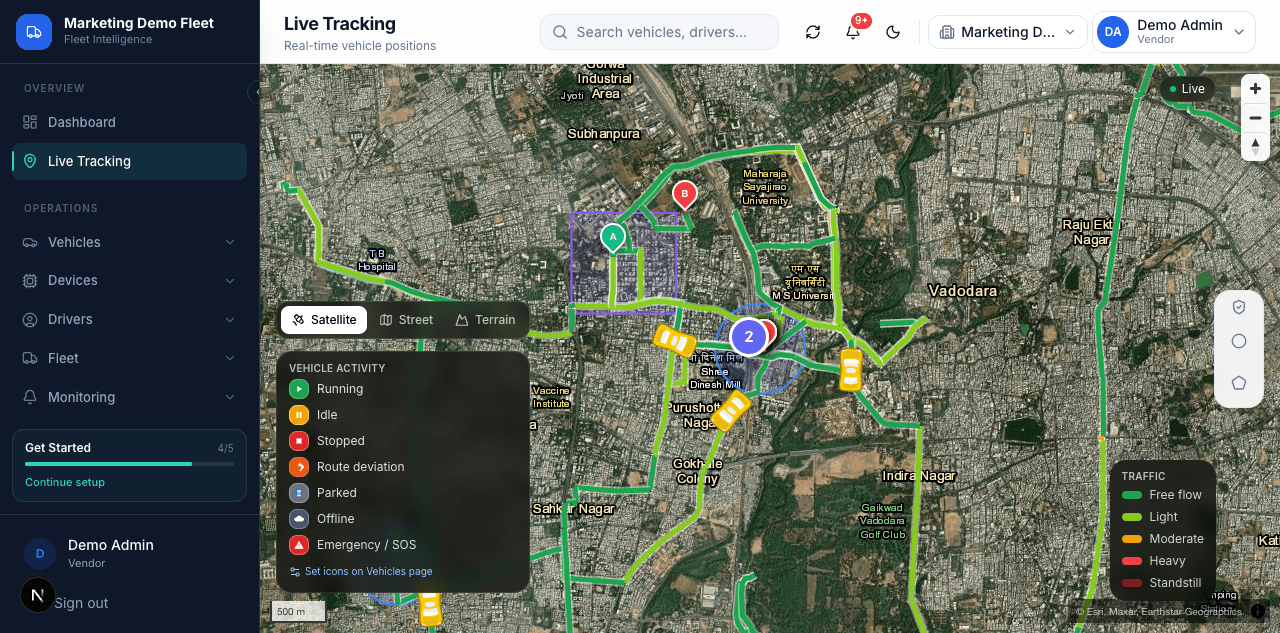
Live Tracking
Real-time vehicle positions.
- Vehicle activity states: Running, Idle, Stopped, Route deviation, Parked, Offline, Emergency/SOS
- Satellite, Street, and Terrain map views
- Traffic layer: Free flow, Light, Moderate, Heavy, Standstill
- Live vehicle count marker with map clustering
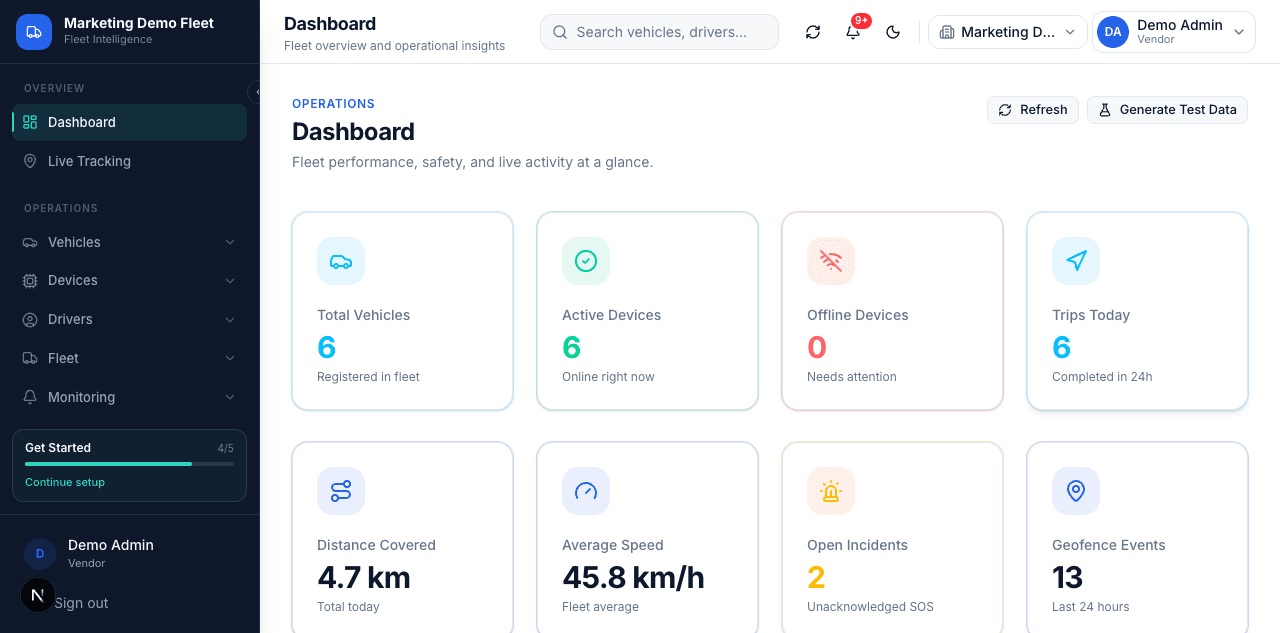
Dashboard
Fleet performance, safety, and live activity at a glance.
- Total Vehicles, Active Devices, Offline Devices, Trips Today
- Distance Covered, Average Speed, Open Incidents, Geofence Events
- Live Fleet table (device, status, speed, last updated)
- Safety & Incidents, Geofence Activity, and Latest Alerts tables
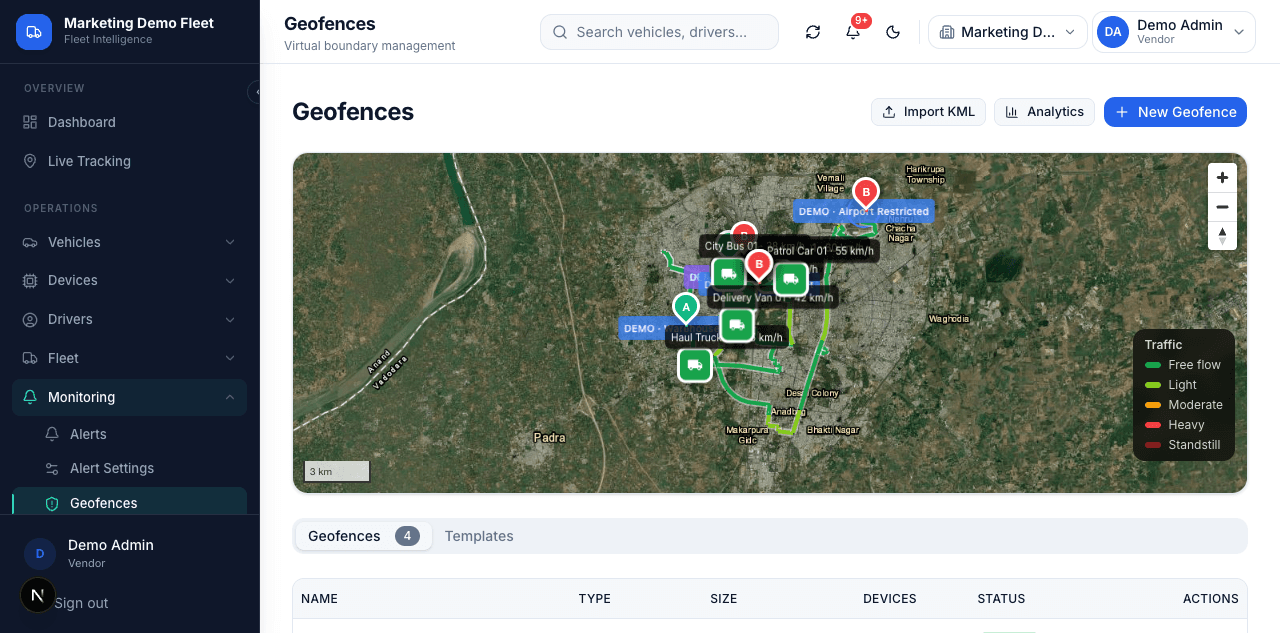
Geofences
Virtual boundary management.
- Circular and polygon geofence drawing on the map
- Import KML boundaries
- Geofence list with type, size, linked devices, and status
- Geofence analytics view
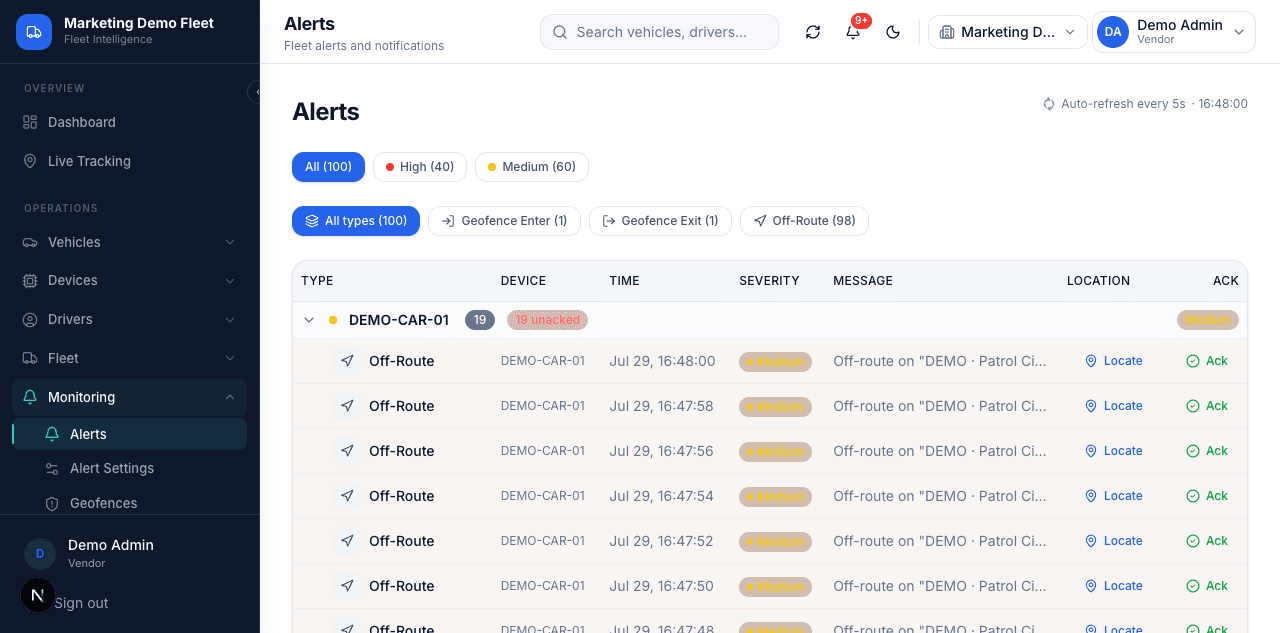
Alerts
Fleet alerts and notifications.
- Alert types: Off-Route, Geofence Enter, Geofence Exit
- Severity levels: High, Medium
- Columns: Device, Time, Message, Location, Ack
- Auto-refresh every 5 seconds
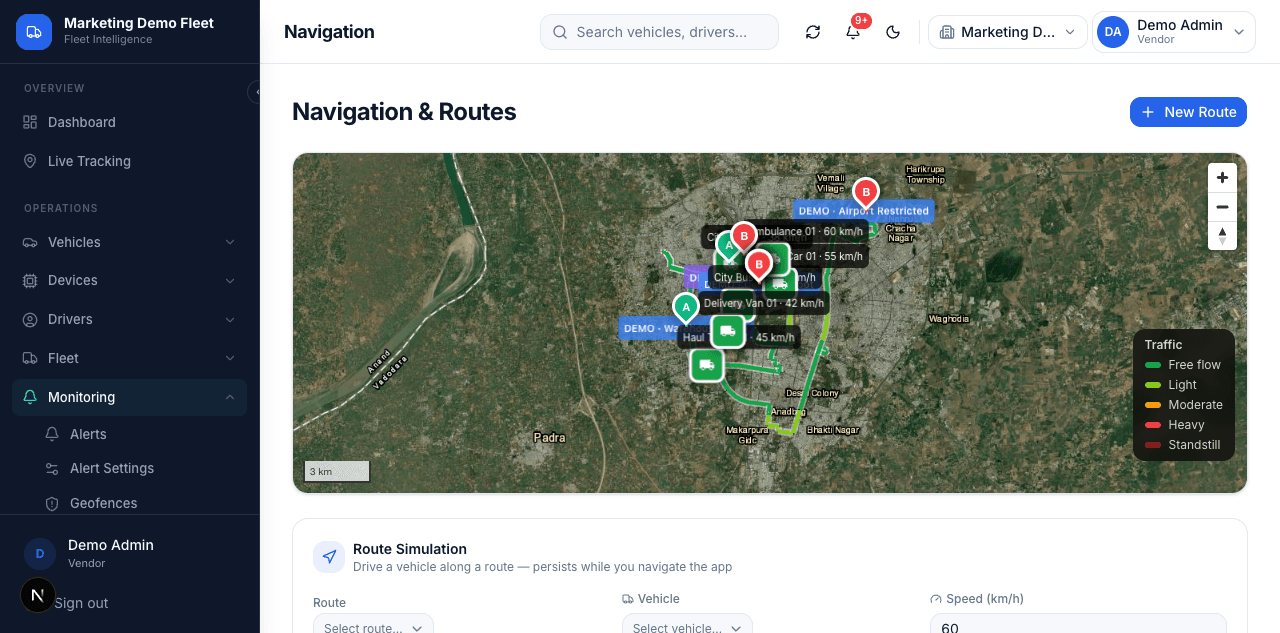
Navigation & Routes
Route planning and simulation on the live map.
- Route creation with New Route
- Route Simulation: drive a vehicle along a route at a set speed
- Import KML route boundaries
- Live traffic layer on the route map
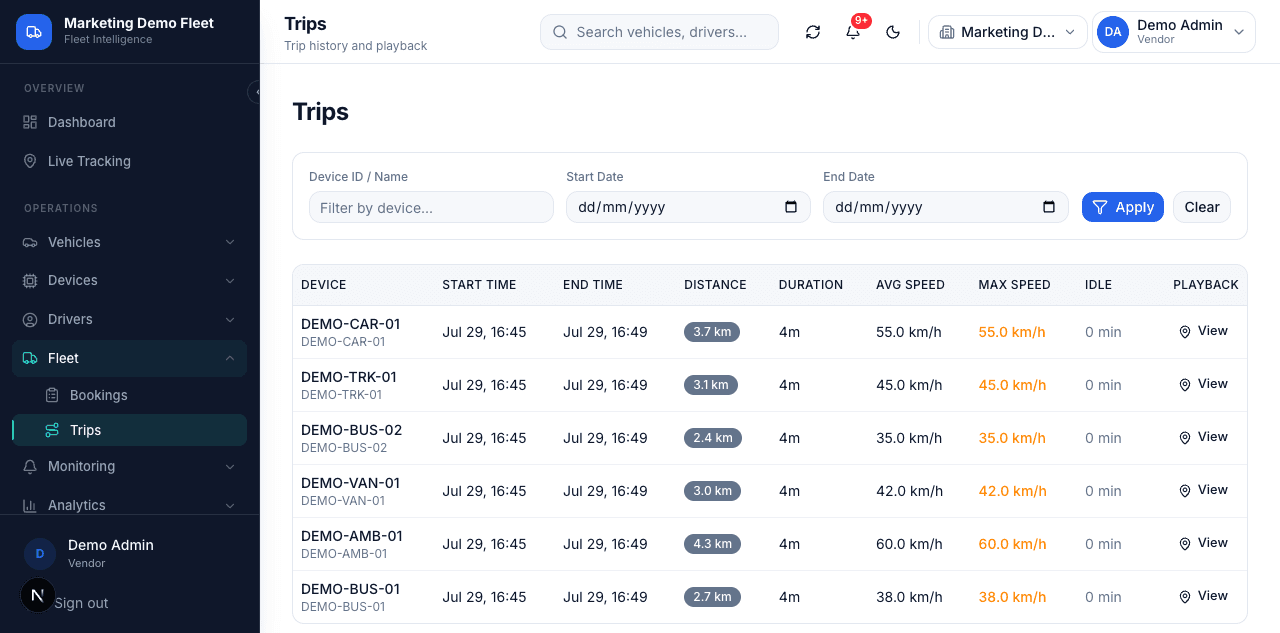
Trips
Trip history and playback.
- Columns: Device, Start Time, End Time, Distance, Duration, Avg Speed, Max Speed, Idle
- Filter by device and date range
- Map-based trip playback per device
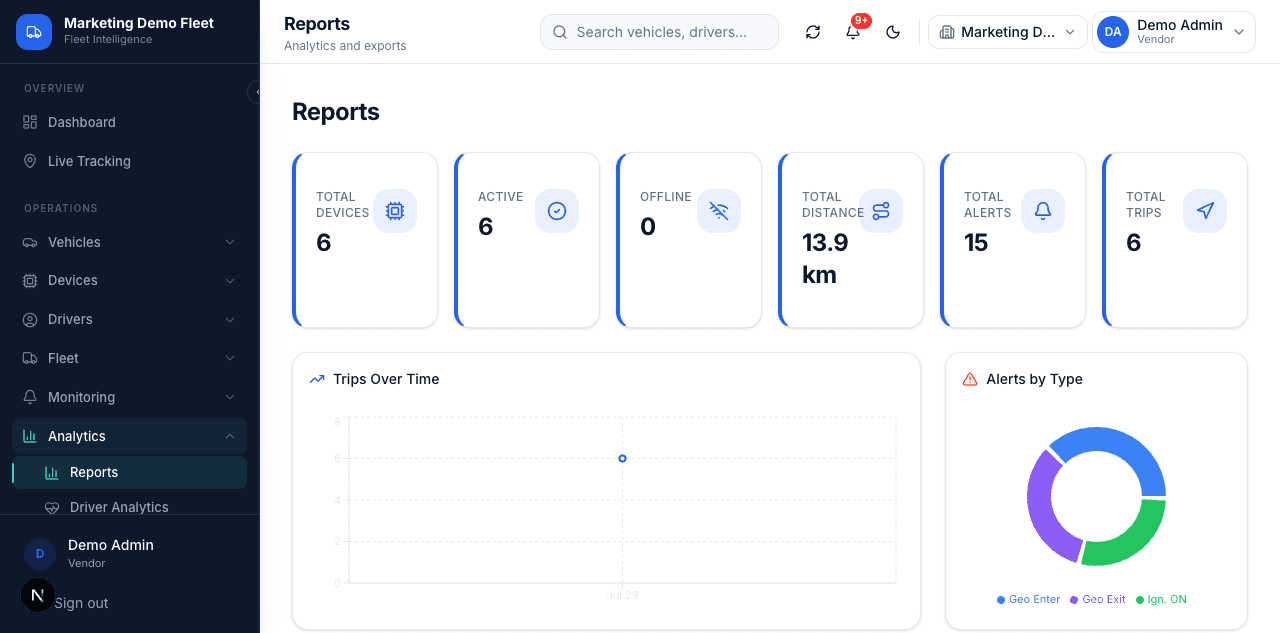
Reports
Analytics and exports.
- Total Devices, Active, Offline, Total Distance, Total Alerts, Total Trips
- Trips Over Time chart
- Alerts by Type breakdown
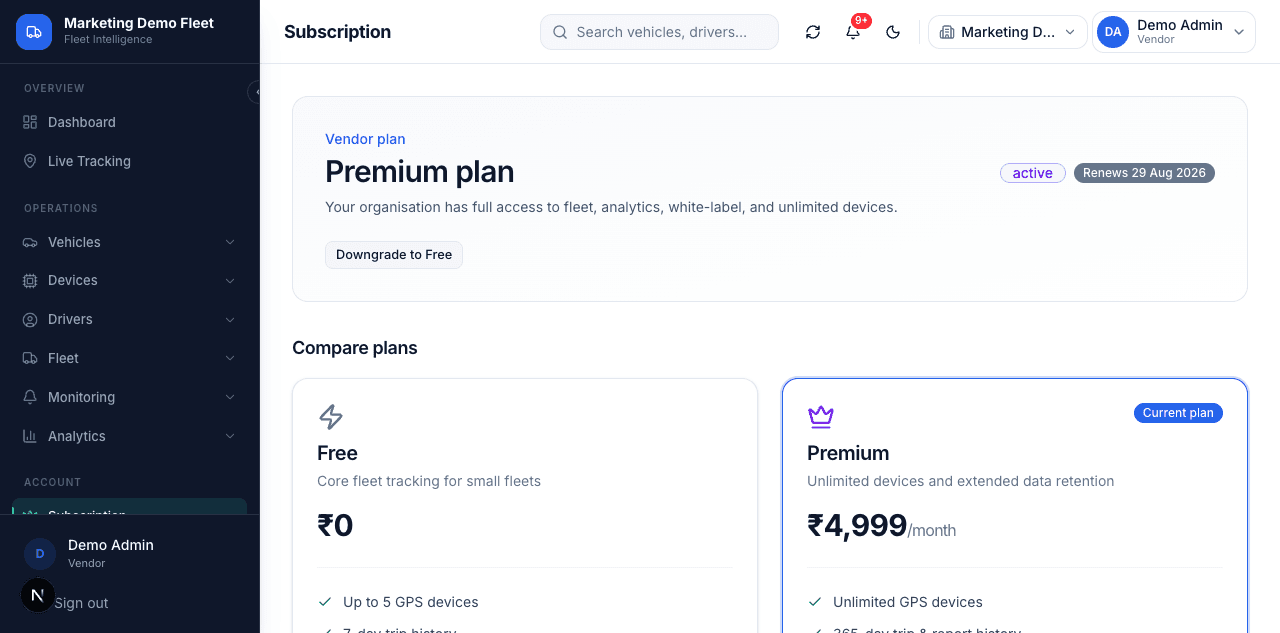
Subscription
Vendor plan and billing.
- Free plan (₹0): core fleet tracking for small fleets, up to 5 GPS devices
- Premium plan (₹4,999/month): unlimited devices and extended data retention
- Plan comparison and upgrade/downgrade
And there's more
Built for enterprises, fleets, and government
Vehicle & Device Management
Vehicle registry with plate, class, status, assigned device, and odometer. Device registry with ID, status, and last-seen time.
AIS-140 Compliance
AIS-140 compliance dashboard for GPS device data standards.
Driver Behaviour Analytics
Driver analytics module for monitoring driving behaviour.
White-Label & Multi-Tenant
Custom logo and branding per organisation, with separate tenant accounts and subdomains.
REST API, WebSocket & Webhooks
REST API and WebSocket for device, alert, and location data, plus configurable per-alert webhook URLs.
Role-Based Access & Security
JWT-based login sessions with Super Admin, Vendor, Admin, Manager, and Viewer roles.
Emergency Dashboard
Dedicated Emergency dashboard for SOS/panic alerts.
Specialized Dashboards
Separate dashboard views for Fleet, Mining, Personal Tracking, and Billing.
GPS Ping Configuration
Configurable GPS ping interval per device on the Devices page.
Works with your GPS hardware
Register any AIS-140 compliant GPS device by its unique ID, assign it to a vehicle, and it starts reporting position, speed, and status immediately — no proprietary hardware lock-in.